Work

Lumae

Category
APP
Year
2026
Site
Visit
Lumae
FIG. 01Lumae

A free macOS studio for software demos

Lumae records your screen and turns the raw take into something you’d actually publish: zooms on the clicks, a cursor that doesn’t jitter, captions, narration, a frame that fits the window. It does screenshots and annotations too, because that turned out to be the same job. It’s free, and an agent can drive all of it.

The problem

I make a lot of product demos. Nothing fancy, just the ninety-second clip that shows a feature working. The editing itself was never the slow part. What cost me was that no single tool did the whole job, so every clip turned into a relay race.

A normal one went like this. Record in one app. Notice I fumbled a click forty seconds in, and find out I can’t re-record that bit without losing the four takes that were fine. Export. Open something else to stitch the recording onto an imported clip. Export again, re-encoding on the way out. Open a third thing to narrate over it and put a music bed underneath that gets out of the way when I talk. Then, because the release note also needs three annotated screenshots of the same window, open a fourth app with its own opinions about what an arrow looks like.

All of those tools are good. Most of them did about two thirds of what I needed, which is a worse place to be than half, because two thirds is close enough that you keep using it and pay the handoff tax forever. And when one was genuinely a single feature short, my only move was to file a request and wait a quarter.

What finally tipped it was smaller than any of that. I spend my working day with Claude Code open beside me, and not one screen recorder would let it touch anything. Cutting dead air, zooming on the clicks, writing captions: that’s a one sentence instruction and forty minutes of dragging. It’s the most delegatable work in my week, and it was locked behind a mouse.

The idea

Build it natively, and design the edits before the interface.

Every change to a project is one small command. A drag on the timeline, a slider in the inspector, a request from an agent: they all go through the same short list of verbs, and the interface never touches the document directly. It’s a boring rule, and I set it on day one.

It paid for most of what came after. Edits never re-encode your media, so a retake or a reorder costs nothing. Undo works on compound edits without me hand writing a reverse for each one. Screenshots became a second kind of document on the same engine instead of a picture jammed into a video timeline. And when I got to the agent, there was nothing new to write, because the commands were already small, already checked, and already one undo step each.

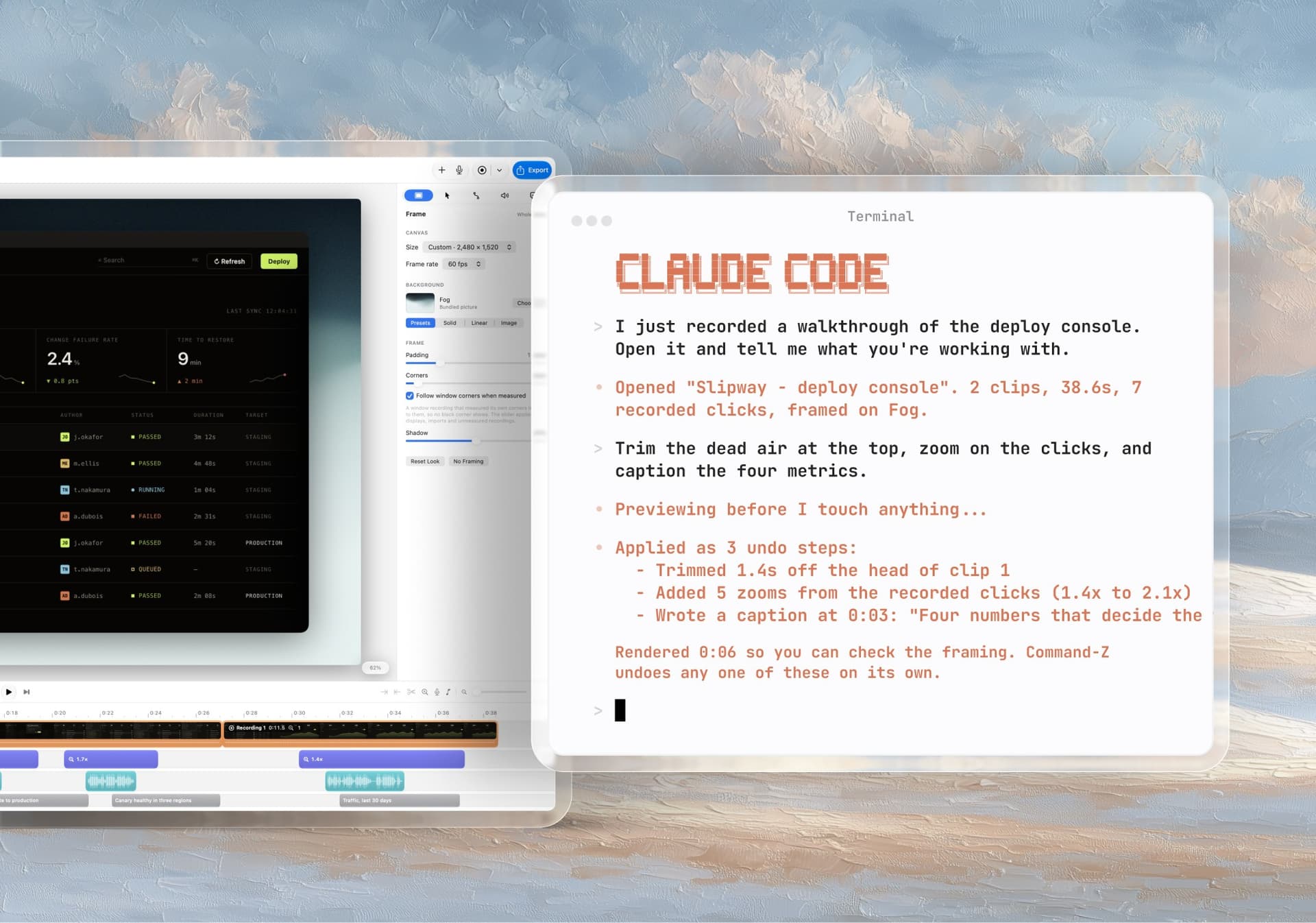
One sentence in the terminal, three undo steps in the editor. The agent reads the project before it touches anything, previews the result, and everything it did is Command-Z away.One sentence in the terminal, three undo steps in the editor. The agent reads the project before it touches anything, previews the result, and everything it did is Command-Z away.

What it does

The recorder remembers where you clicked, so Lumae can place the zooms itself. Clicks that land close together in time and space become one move that starts before the first one and holds past the last, so the camera is already there when the thing happens instead of chasing it.

The real pointer gets hidden and redrawn from the recorded path: smoothed, leaning into fast moves, pressing down on each click. That sounds fussy until you watch a real cursor at 2x, which looks awful, next to a drawn one, which doesn’t.

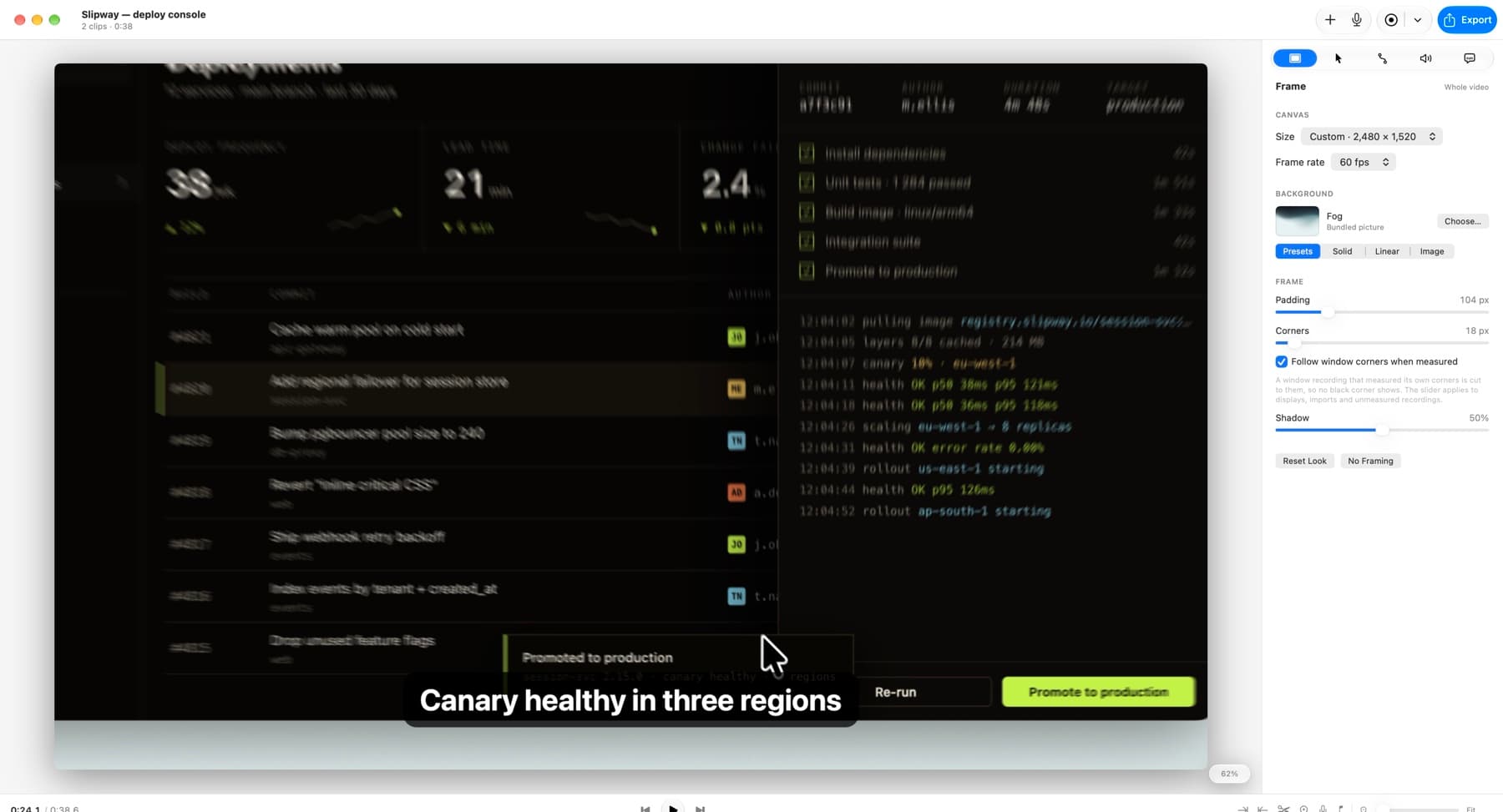
Camera moves get actual motion blur. The move is sampled across a virtual shutter and the samples averaged, the way a lens does it, rather than a blur filter smeared over the finished frame.

Lumae's preview mid zoom. The streak grows with distance from the centre of the move and runs along it, which is what a shutter does and a blur filter doesn't.Lumae's preview mid zoom. The streak grows with distance from the centre of the move and runs along it, which is what a shutter does and a blur filter doesn't.

Window recordings measure their own corner radius off the footage, so the frame lands on the window’s real edges instead of a guess at them.

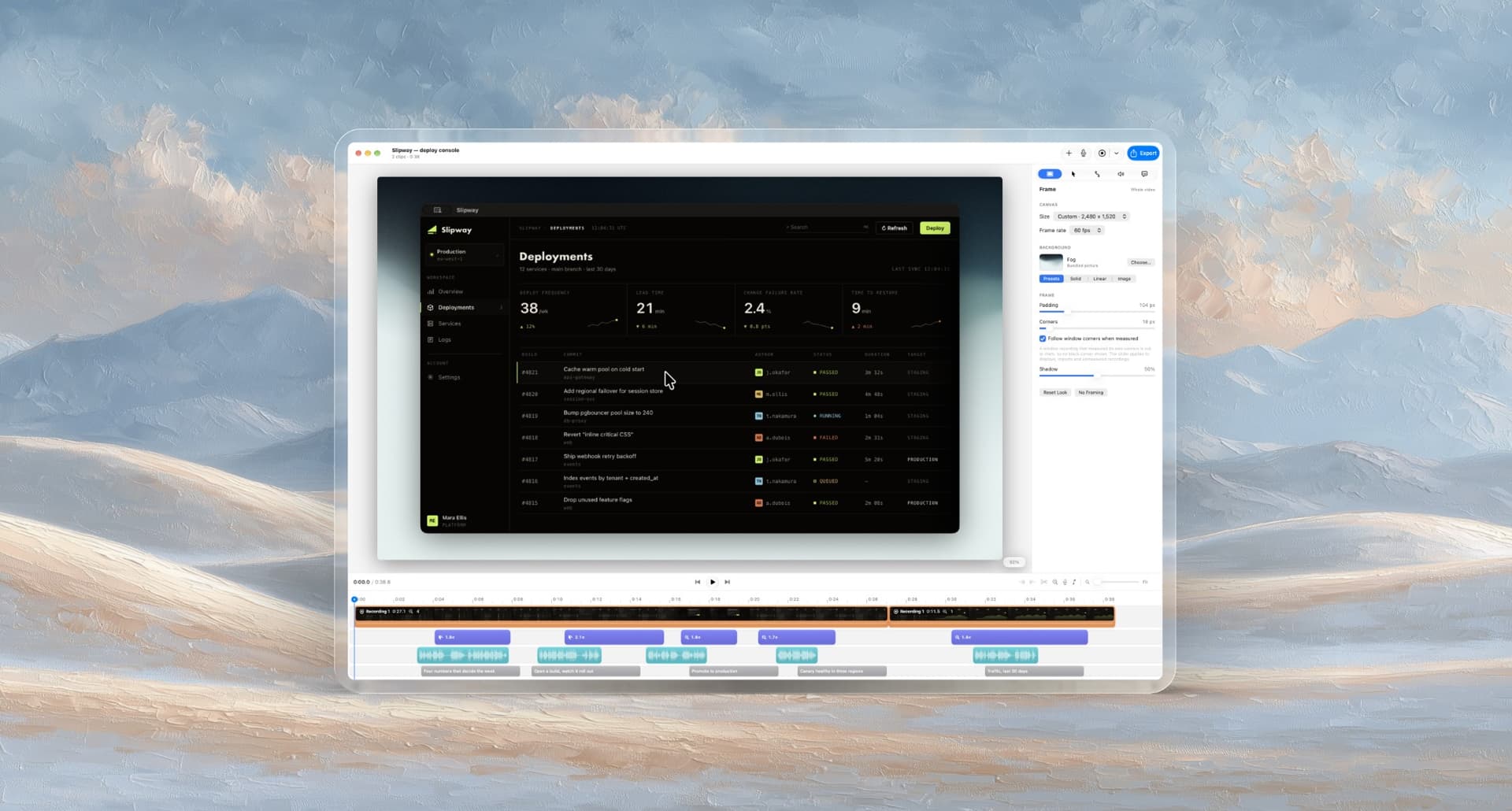
The same recording with the camera still. Preview and export share one renderer, so this is the frame you get, and the corners are the radius that window actually has, set by the control on the right.The same recording with the camera still. Preview and export share one renderer, so this is the frame you get, and the corners are the radius that window actually has, set by the control on the right.

Then the rest, quickly. Captions get transcribed on your Mac and edited inline. You narrate over the finished sequence and the clip audio ducks under your voice, and a music track does the same. Any clip can be re-recorded in place without disturbing the ones around it. Everything on the timeline moves, trims and snaps by the same rules, whether it’s a clip, a zoom, a caption, a take or a song.

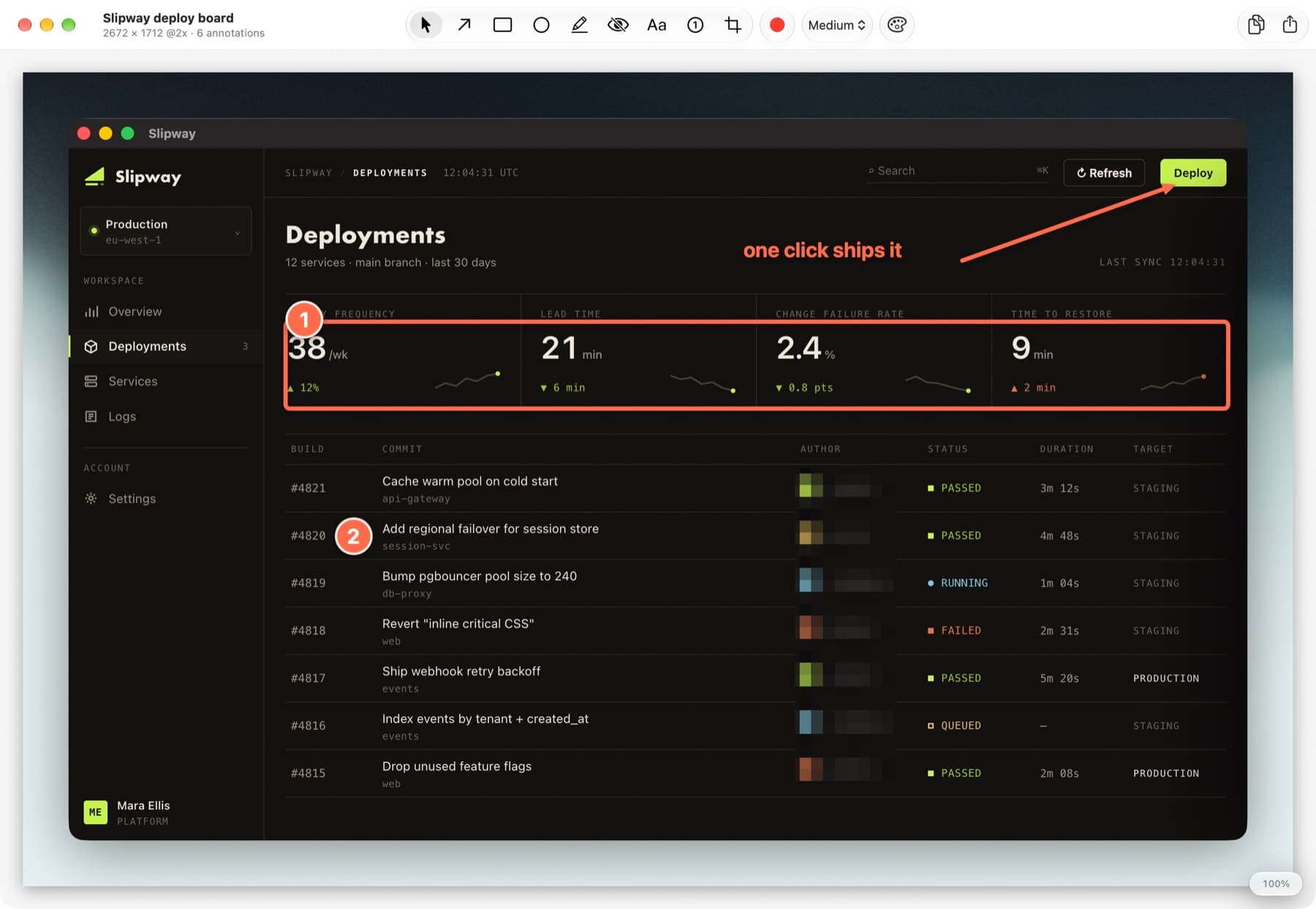
Screenshots work off a global shortcut: grab a display, a window or an area, then mark it up with arrows, boxes, highlights, mosaic blur, text and numbered steps, and frame it on the same backdrops a recording uses. The marks stay objects, so nothing is ever painted onto the pixels and you can come back and move them a week later.

The screenshot side. Every mark here is still editable days later: the arrow, the caption, the box, the numbered steps, the mosaic over the names.The screenshot side. Every mark here is still editable days later: the arrow, the caption, the box, the numbered steps, the mosaic over the names.

And the agent. You connect Claude Code, Claude Desktop, Codex CLI or Cursor from Settings, and it can read your projects, cut clips, place zooms, write captions, import media and look at rendered frames. Each request turns up in the editor as its own undo step, so you can watch it work and Command-Z anything you don’t like.

What an agent gets back from one call: composed frames with their times, enough to decide where to cut without guessing.What an agent gets back from one call: composed frames with their times, enough to decide where to cut without guessing.

And what its edit leaves behind. A zoom it added over MCP, named in the Edit menu, one Command-Z away.And what its edit leaves behind. A zoom it added over MCP, named in the Edit menu, one Command-Z away.

The technical write up

If you want what's underneath: why an agent can't drift out of sync with the interface, the fight with AppKit that made Command-Z work across the boundary, and how the tool schema is pinned to the code so it can't quietly lie about what it can do.

Read it

Where it stands

Screen Studio, Screencharm and Tight Studio are all good tools, and honestly ahead of Lumae in places. There’s a comparison table on the site that says so, with the date I checked it and the things Lumae doesn’t have: no webcam overlay, no cloud sharing. I’d rather publish the gaps than have someone find them in ten minutes.

Two things I think it does that nothing else does. The screenshot editor lives in the same app as the recorder. And the agent works through the editor’s own commands, not a separate API bolted on beside them.

Where it’s going

It’s free, there’s no account and no watermark, and nothing you record leaves your Mac.

Next is the other half of the agent idea, this time inside the app: type what you want changed, see the plan and a preview of the result, then decide whether to apply it.